Windows
Windows 10 / 11 · installer
First install (the file is not yet signed with a commercial certificate):
- Open the downloaded file.
- If you see "Windows protected your PC", click More info.
- Click Run anyway, and the setup wizard starts.
Tester build 2.30.3 · open source · runs on your PC
Kaveret is a desktop app that runs a personal team of AI Bots on Claude, ChatGPT, Grok or local models. They browse the web, work with files, send messages and email, and run schedules, and they stop and ask you before anything risky.
Windows 10/11 · 128 MB · not signed yet: if you see "Windows protected your PC", click More info → Run anyway
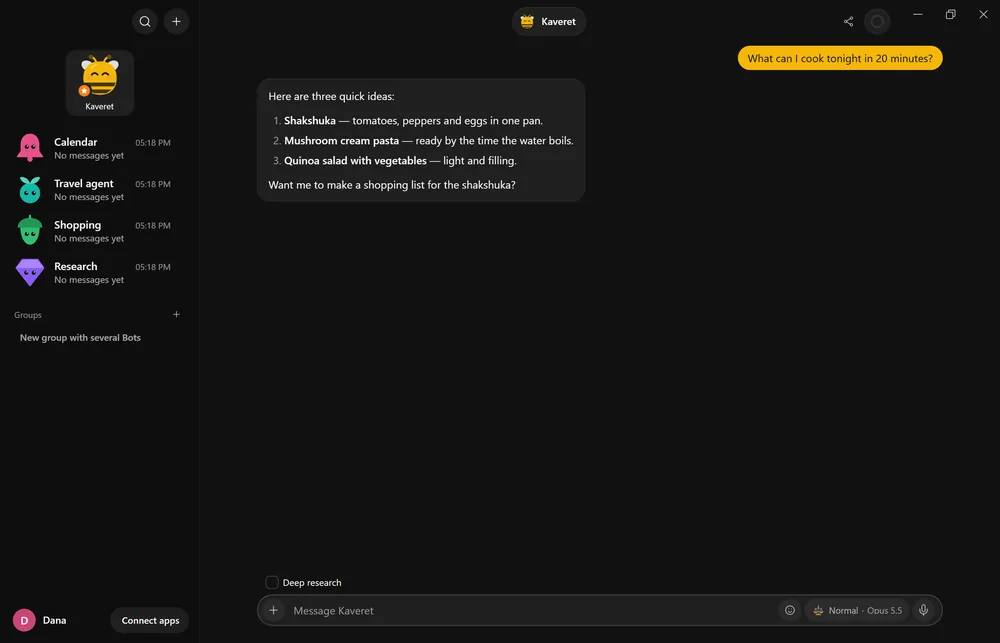
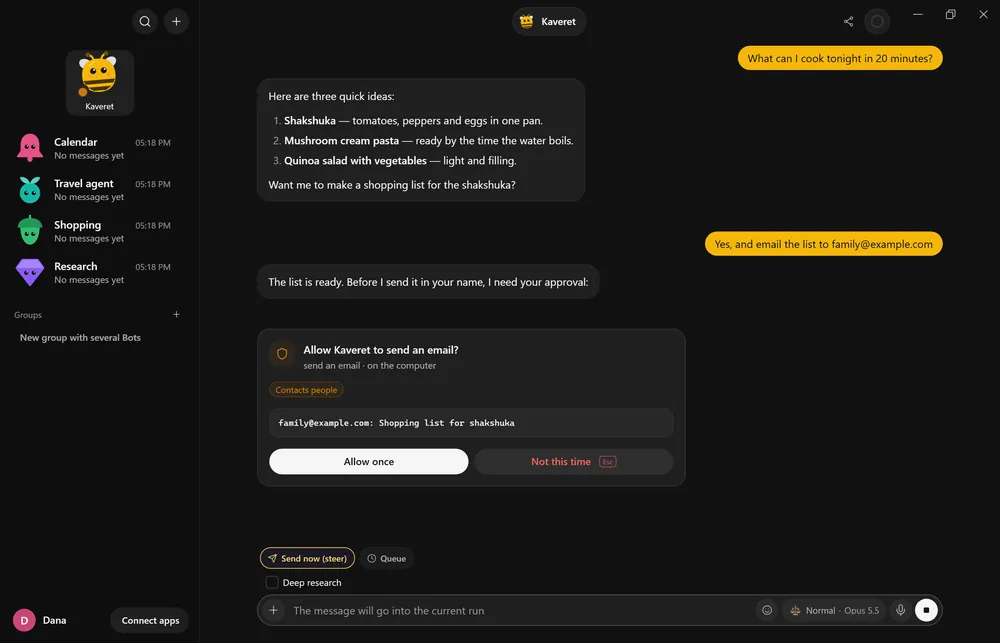
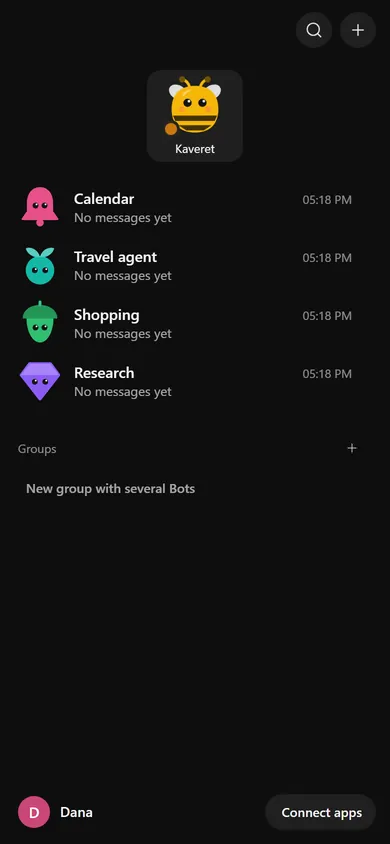
Real screenshots of the app, with demo data.
Works with the subscriptions you already have
How it works
No server, no new account, no keys. Everything runs on your PC.
Download and install. The first run keeps everything on this PC: no server, no password, and the primary Bot, Buddy the bee, is ready.
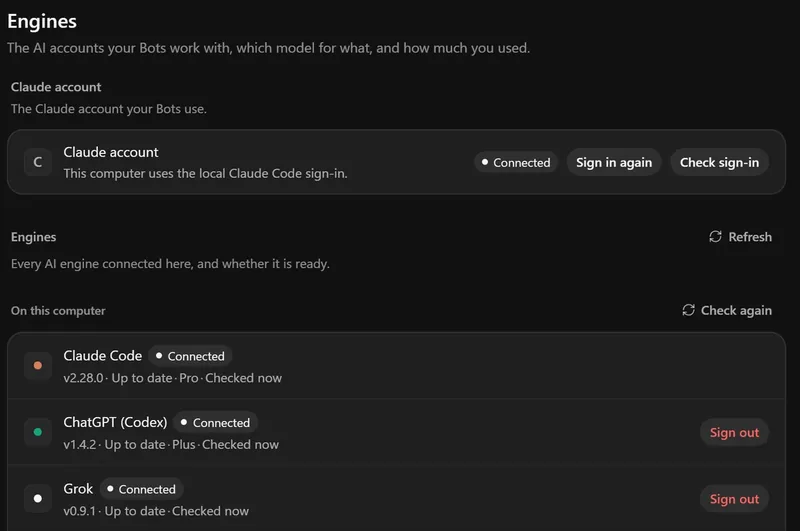
The start wizard checks which official AI engine tools are already installed and signed in on your PC, and marks what is ready. Anything missing, you install and sign in to in the tool's own window.
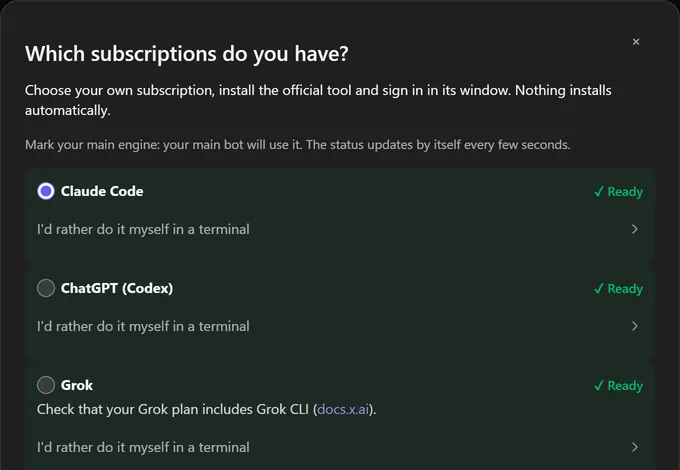
Each Bot has its own name, look, purpose and model. Talk to them from the desktop or your phone, and answer approvals right from the notification.
Approval cards
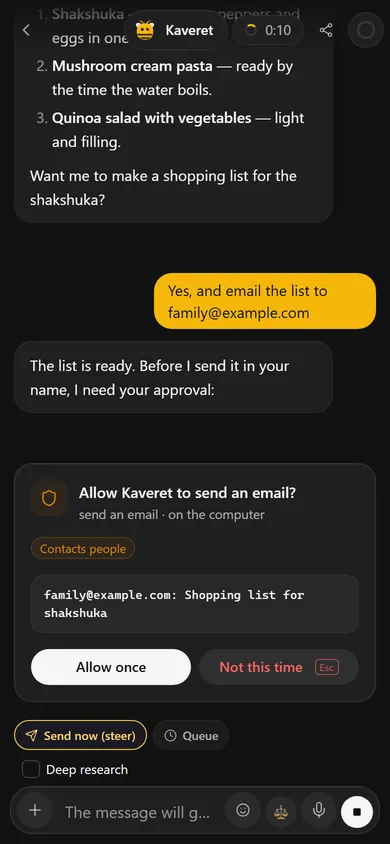
Before it sends an email or a message, places a call, runs a shell command or changes files outside its folder, a Bot stops and shows a card: one sentence that says what is about to happen, with the details under it.
 KaveretTry it: allow or deny
A demo on this page: no email is sent. The wording comes from the app.
Features
Each cell is something your Bots can do. Hover over a cell, or tap it.
Each with its own name, look, purpose and model. The primary Bot coordinates and checks in.
Browse, fill in forms and gather information, with a live view and one-tap take-over.
Create, read and edit Word, Excel and PowerPoint files, including right-to-left Hebrew.
A Bot calls for you on your own Twilio number, and you watch the live transcript.
Joins Google Meet, Zoom or Teams and writes the summary, decisions and tasks.
WhatsApp, Telegram, Slack, Discord, Microsoft Teams, iMessage and email.
Recurring tasks, page watchers and event triggers.
Parallel searches that produce summary pages with sources.
Hebrew-first, offline speech recognition on the desktop.
On Windows, each Bot can get an isolated computer with a browser and terminal you can watch.
When an engine hits its limit, the request carries on with another vendor's engine you have signed in. Only if you turn it on.
Memory you can see and edit, and skills your Bots learn.
Engines
Bots work through each engine's official tool, with your own sign-in on your PC. No API keys required (you can add them if you want). Kaveret never sees your credentials and holds no one's AI account.
Kaveret is an independent open-source project and is not affiliated with, endorsed by or sponsored by Anthropic, OpenAI, xAI or Google.
Connections
Each of these 20 apps connects from inside Kaveret in a few clicks. Where a sign-in is needed, it happens on the app's own page, and your password never goes through Kaveret.
ConnectContinueSign in and approve at the app
More apps, such as Gmail, Slack and GitHub, connect through a guided setup. App names belong to their owners.
On your phone
Your PC stays the home of your Bots, and your phone reaches it privately over Tailscale: no open ports, no router setup.
When the PC is off or asleep, the phone can't reach the Bots. Want them always available? Run your own server.
Safety and privacy
There is no Kaveret cloud and no telemetry. Your chats, files and vault stay on your PC, and your prompts go only to the engine you picked.
Everything is stored with you (or on your own server, if you choose). The app checks GitHub Releases for updates, and that's it.
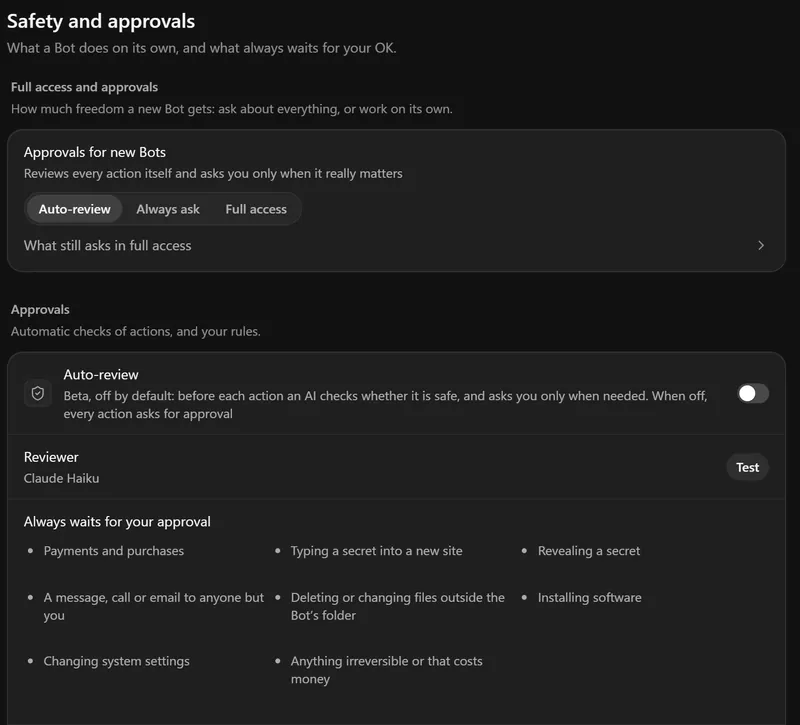
A consequential action stops at a card. Per Bot, you choose how much it may do alone: always ask, auto-review or full access.
Messages, emails, web pages and webhooks can't approve anything. A turn that read them gets no automatic approvals, and strangers on external channels never reach a Bot.
Passwords and tokens live in an encrypted vault (AES-256-GCM). When a Bot signs in to a site, the app types the value into the page; the model never sees it.
Secrets are masked in chats, streams and logs.
Paying or checking out always needs your explicit approval, and you can set spending limits.
You can let a trusted Bot skip routine questions. What always waits for your approval:
Download
Version 2.30.3 for testers. The installers are hosted on GitHub Releases.
Windows 10 / 11 · installer
First install (the file is not yet signed with a commercial certificate):
The phone app is a remote for Kaveret on your computer: install Kaveret on the computer first; the phone connects to it privately over Tailscale (free).
Install:
A Mac version is on its way. Meanwhile you can use Kaveret from your phone with a Windows PC.
Open source (MIT). Source code on GitHub
FAQ
The app is open source under the MIT License. You use your own AI subscriptions (or free local models); phone calls (Twilio) and your own server cost what those services charge.
No. There is no Kaveret cloud and no telemetry. Your chats, files and vault stay on your PC (or on your own server). Your prompts go to the AI engine you picked, as with that engine's own app; the desktop app also checks GitHub Releases for updates.
No. Each engine runs through its own official tool, signed in by you on your PC. Kaveret never sees your credentials and never switches accounts by itself.
Claude, ChatGPT (Codex), Grok, local models (Ollama), and other ACP agents.
Windows 10/11 has an installer (tester build). A Mac version is coming soon. On your phone: the experimental Android app or the PWA, both connecting to Kaveret on your PC. The interface is in Hebrew, English and more languages.
The installer is not yet code-signed with a commercial certificate, so SmartScreen may show "Windows protected your PC". Click "More info", then "Run anyway".
With local models (Ollama) the Bots run without the internet; tools that need the web (browsing, email, phone) don't.
Install it, connect a subscription you already have, and start talking.
Windows 10/11 · 128 MB · not signed yet: if you see "Windows protected your PC", click More info → Run anyway